---
title: "The garbage collector in .NET - Part 2: Compacting"
description: "I already made a post about how the Garbage Collector works in .NET and also introduced the topic of **Generation** slightly. This article will look a bit more in detail into why we have those mechanisms in the first place, including the **L**arge **O**bject **H**eap."
updated: 2022-06-03
tags: ["C#", "Garbage Collector", ".NET", "GC"]
canonical: "https://steven-giesel.com/blogPost/e0c236dc-40dc-4100-97bc-b68a2ccb5f4f/the-garbage-collector-in-net-part-2-compacting"
---
# The garbage collector in .NET - Part 2: Compacting
If you are not familiar with the GC in .NET, I [wrote an article about that](https://steven-giesel.com/blogPost/01252906-c486-484b-811c-9af43e943c7e). It talks about multiple **generations** and how the GC prefers to delete objects with a shorter lifetime than ones with a longer one. This article explains to you why the GC does that and what performance benefits you get from that.
## The truth about the sweeping phase
I didn't tell you the whole process behind the sweeping phase. Deleting objects is the smaller part of what the GC does. There is a second process occurring after the object gets deleted. After that, the GC **compacts** the heap.
## Compacting
Now let's have a look at the following situation: Your program has some stuff on the heap (some objects and lists and so on), and now the GC marked some of your objects for deletion. After he is done, he will compact everything together.
Do you remember this relict of the past?
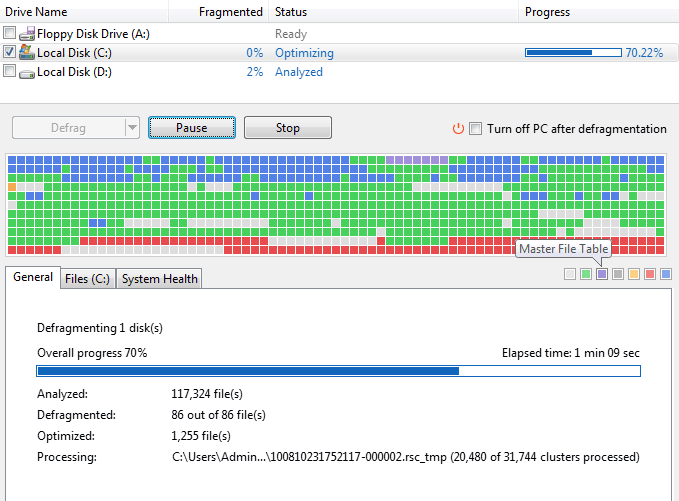
Yes, the good old defragmentation tool. The behavior is kind of the same. The GC as well as the defragmentation tool move all the objects at the beginning. In older HDD drives it was faster to access the first files than to move the needle to the end of the drive. And it behaves a bit like that for the GC.
## Why compacting?
There are multiple reasons. Just imagine you have a lot of super-small holes in your memory and you try to create new objects which would be bigger than that hole. Well, those small holes are then unusable. So you can get `OutOfMemoryException` even though there is enough (virtual) memory. Also, your CPU cache plays a major role here. Especially small and short-lived objects, which are in a sequential block of memory, have a higher chance of getting cached. Sounds awesome, what the GC does. But there is one last bit missing: the LOH.
## Large Object Heap
As explained earlier, compacting can take some time, but it is worth doing so ... unless your object is big enough. If your object is too big compacting it takes more time than you would gain from CPU caches and other stuff which benefits from compacting. The .NET team just benchmarked around and found [85kb is the magic threshold](https://docs.microsoft.com/en-us/dotnet/standard/garbage-collection/large-object-heap#how-an-object-ends-up-on-the-loh). If you have for example a `List` with more than 21250 (`85000/sizeof(int) = 21250`) entries than this list would end up on the LOH. Even if you run `GC.Collect` the LOH will not be compacted. You have to pass a special flag called [`GCSettings.LargeObjectHeapCompactionMode`](https://docs.microsoft.com/en-us/dotnet/api/system.runtime.gcsettings.largeobjectheapcompactionmode?view=net-6.0#system-runtime-gcsettings-largeobjectheapcompactionmode) to [`GC.Collect`](https://docs.microsoft.com/en-us/dotnet/api/system.gc.collect?view=net-6.0#system-gc-collect(system-int32-system-gccollectionmode-system-boolean)) to make that work. At least until .net6 it behaves like that. Microsoft might change that behavior in the future.
## Should I care?
Now the question for you is: **Should I care?**. And as always: **It depends.** For the majority of uses cases most likely not, even though it is nice to know. Also with 64-bit processes the virtual space is much bigger so "holes" in the memory space are not so important anymore. Only if you work with large objects this information is crucial. Trivia: If you would create a `List` with >21250 elements this would land on the LOH, but for example, a `LinkedList` with >21250 elements would not. The reason is that the `List` is basically one array that grows and grows. The linked list is basically smaller nodes that are tiny. A practical implementation of that is the `StringBuilder`. The `StringBuilder` does not have one internal array but multiple if the size of the current chunk gets bigger than 8kb.
## Conclusion
Long story short, the LOH makes code run more efficiently. The cost of using available virtual memory address space is less efficient. **Compacting** is a mechanism of the GC to have more efficient memory management.
## Resources
* Memory management from [Microsoft](https://docs.microsoft.com/en-us/aspnet/core/performance/memory?view=aspnetcore-6.0#large-objects-heap).
* Part 1 of the series [here](https://steven-giesel.com/blogPost/01252906-c486-484b-811c-9af43e943c7e).