---
title: "How to rebase onto a different branch with git"
description: "We're all been there. You worked on a feature or bug on your branch and after some commits you noticed \"Oops, I should have branched from xyz instead of abc\". I'll show you an easy way of simply moving your stuff from branch abc to xyz."
updated: 2021-08-17
tags: ["git", "branch", "rebase"]
canonical: "https://steven-giesel.com/blogPost/ed80f949-d42b-4b30-836d-1867a82a6dc4/how-to-rebase-onto-a-different-branch-with-git"
---
# How to rebase onto a different branch with git
# Current Situation and how to move your branch
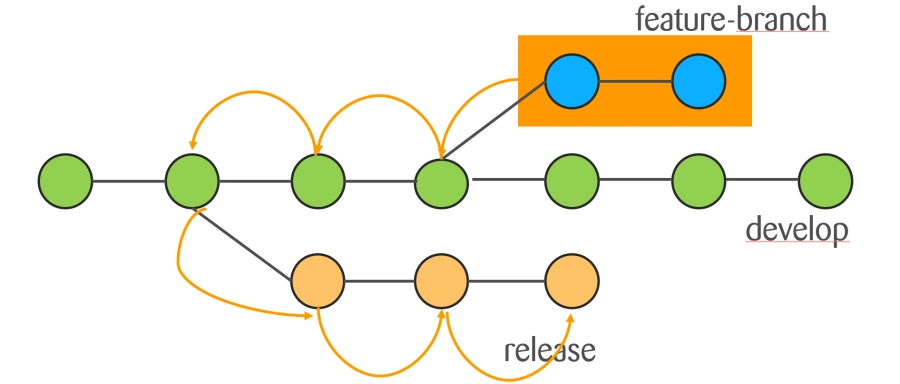
Just imagine the following situation:
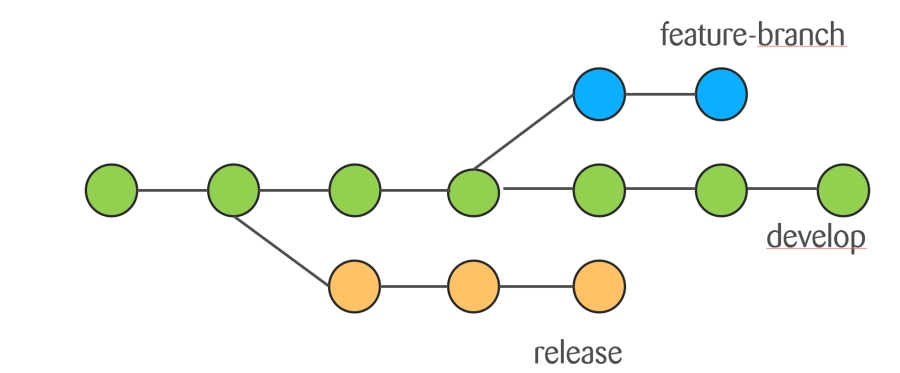
We have a `feature-branch` which we branched off from `develop` but we want to have the stuff on `release`.
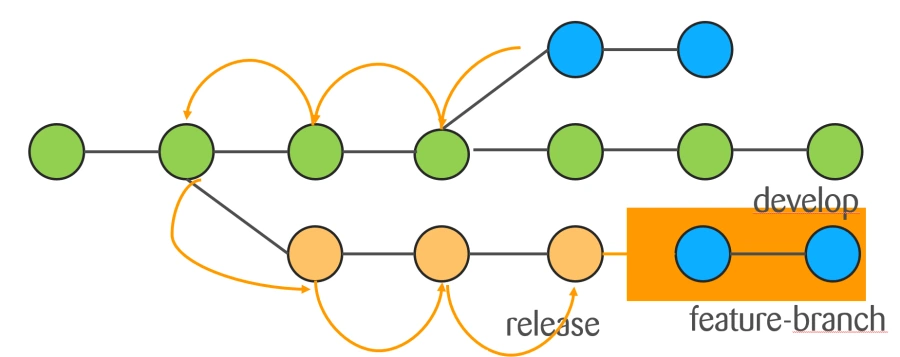
So what we want is basically to move our commits from `develop` to `release` like this:
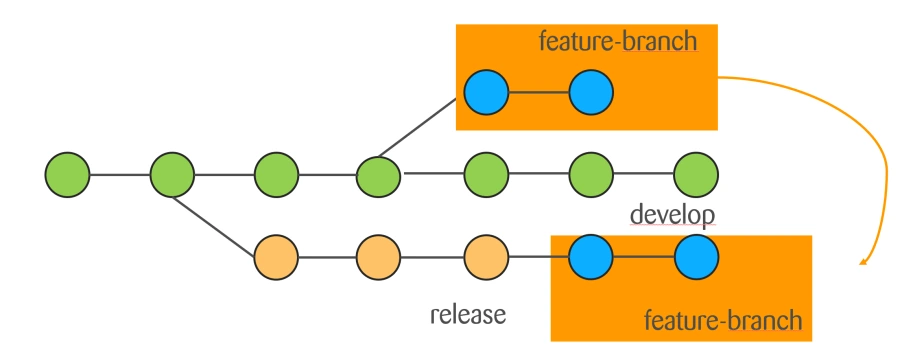
The fix is very easy with git:
**$ git rebase --onto new-base-branch old-base-branch mybranch**
That would mean in our example:
**$ git rebase --onto release develop feature-branch**
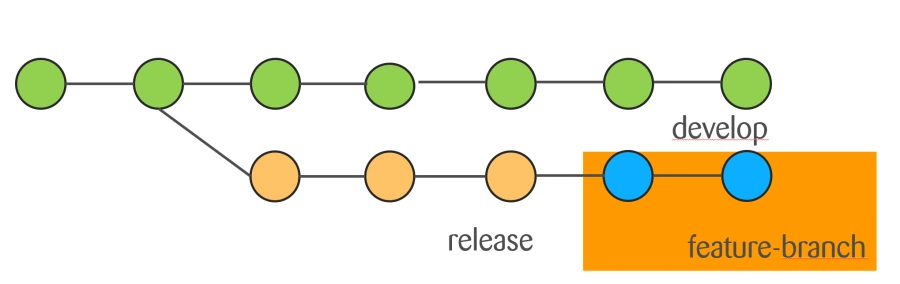
The target picture would look like that:
**Note**
If you are already working on `feature-branch` you can omit the third parameter.
# How does it work?
The basic idea behind the rebase onto is
1. Finding the common ancestor of the old and new base branch
2. Reapplying your commits to new base branch
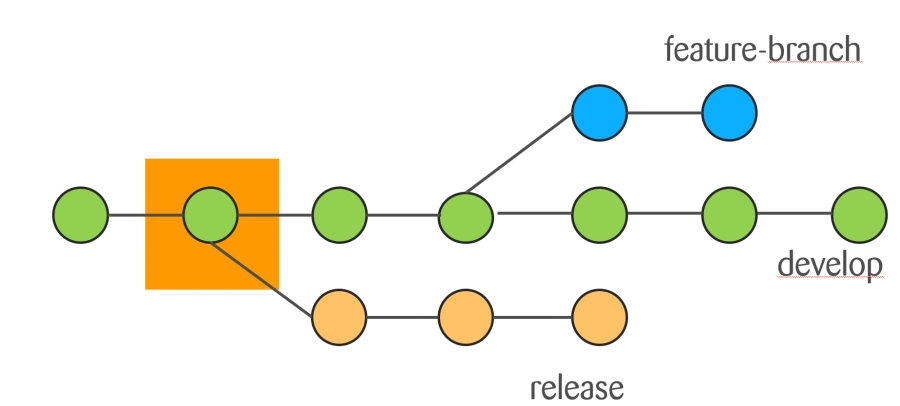
## Finding the common ancestor between the old and new base branch
In the example we see that the orange commit is the common ancestor of release and develop branch
## Reapplying your commits to new base branch
Now we just apply our commits from the feature-branch to the release branch
# Conclusion
If you have some amount of commits and cherry-picking is to time consuming use the "magic" of `git rebase --onto`.