After quite some time, we are back with a new major version of NCronJob. Of course also ready for the freshly released dotnet 11.
Dashboard#
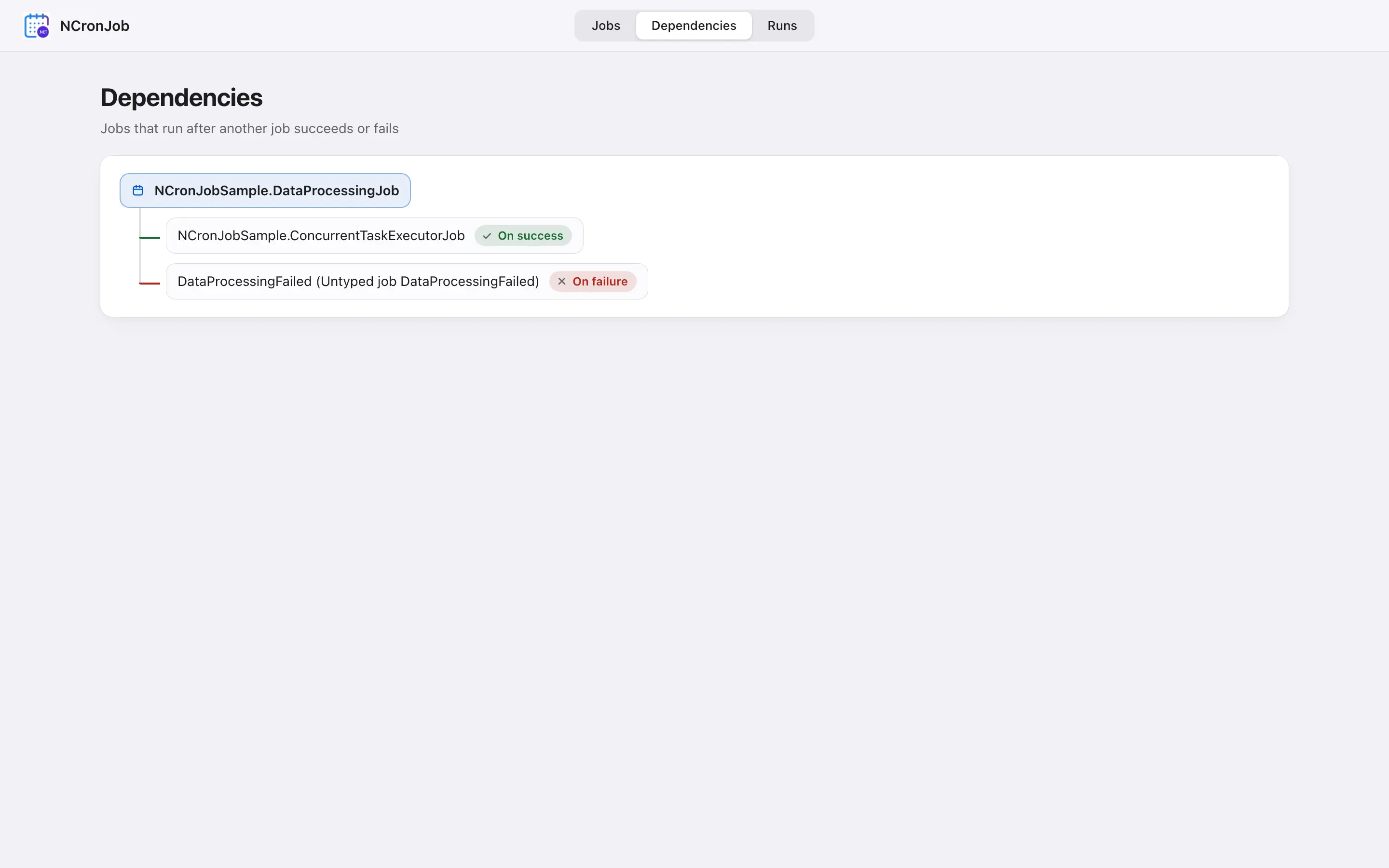
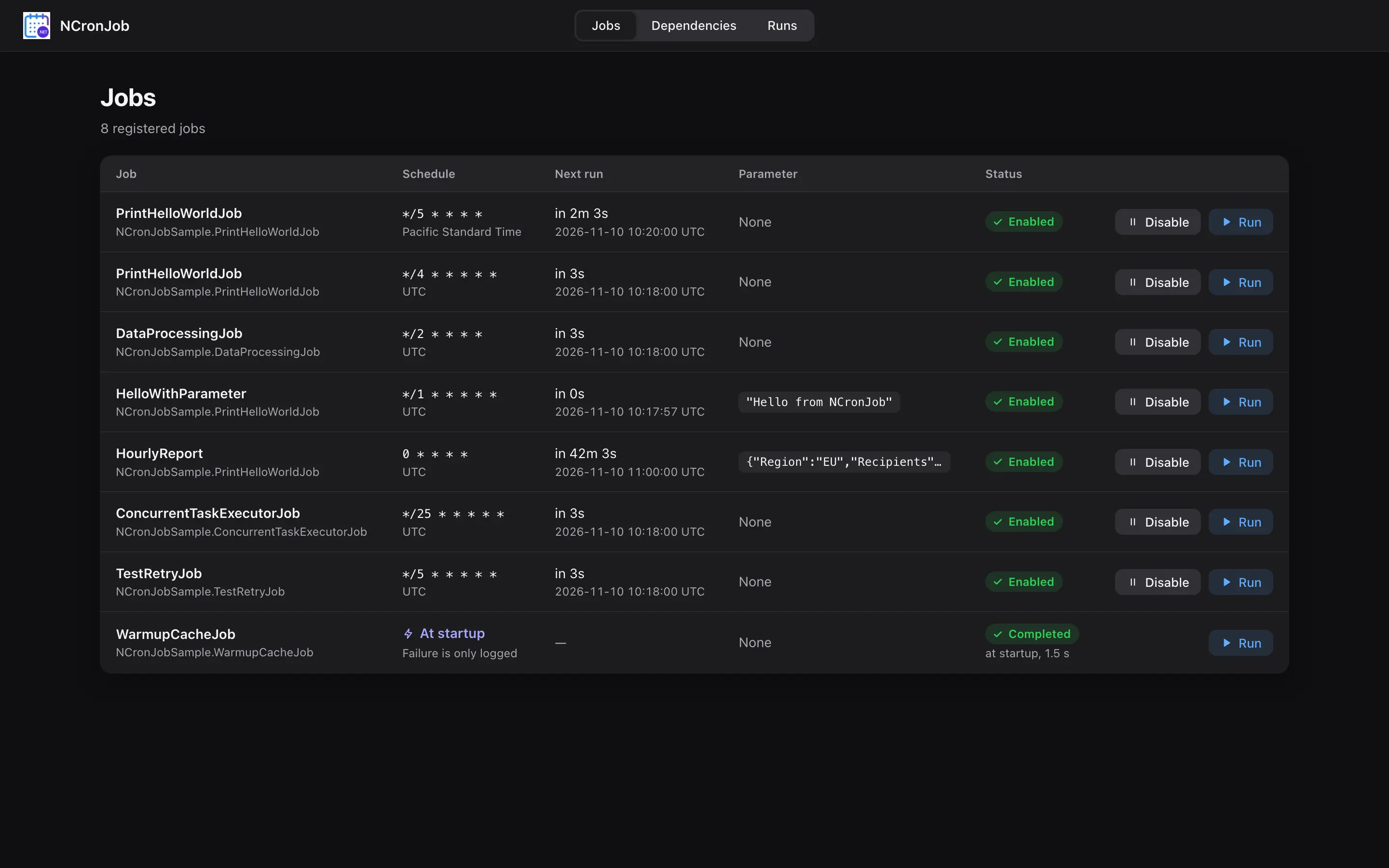
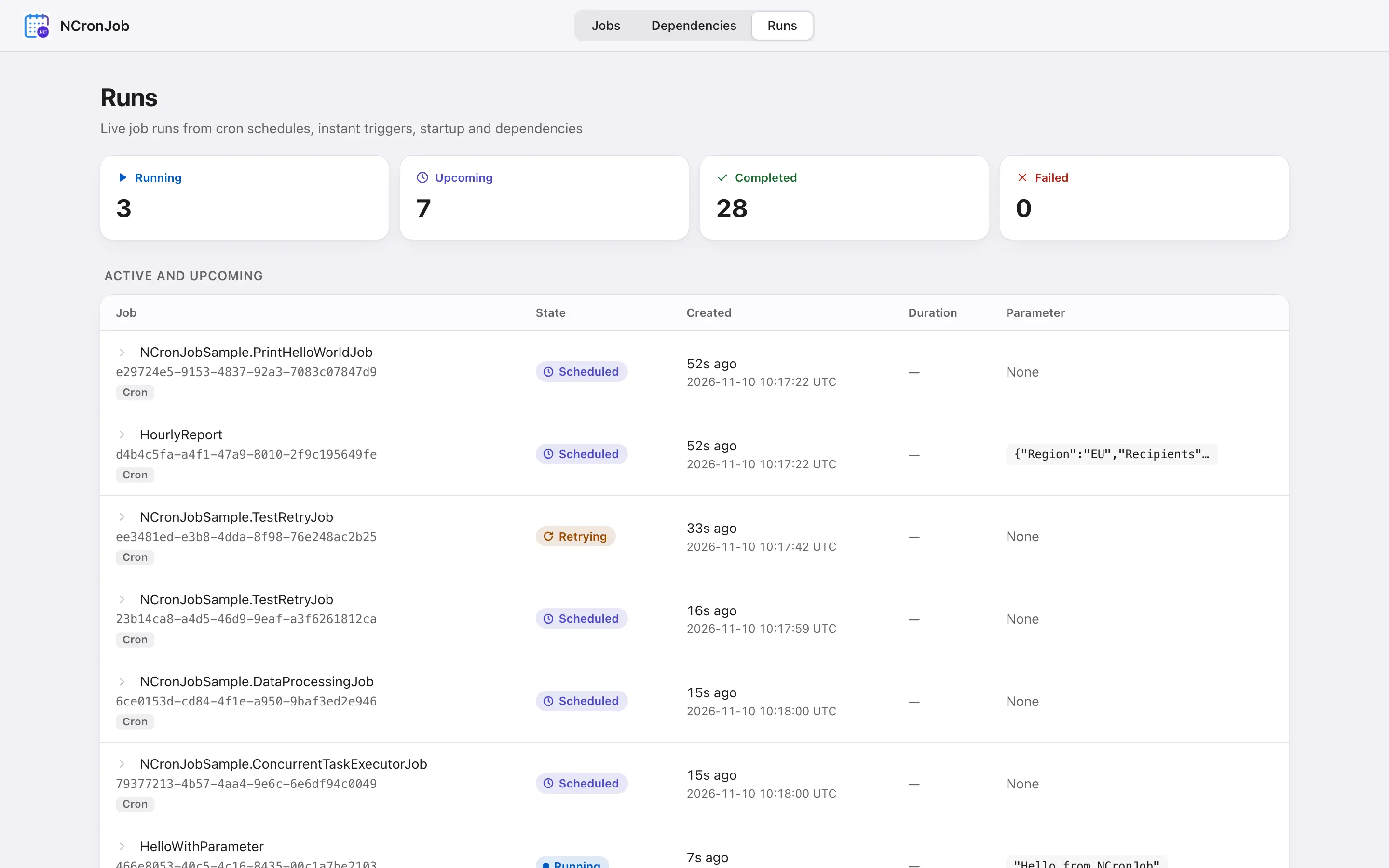
The first thing is: We finally have a dashboard. With that you can easily see dependencies, what jobs are running or just create new instant jobs and trigger them. It lives in a separate package: NCronJob.Dashboard that you can install. The setup is quite minimal:
builder.Services.AddNCronJob(/* your jobs */);
builder.Services.AddNCronJobDashboard();

var app = builder.Build();
app.MapNCronJobDashboard("/ncronjob", endpoints => endpoints.RequireAuthorization("Admin"));
As seen, you can easily allow a different route or have your custom endpoint authorization in place. Here a few views:
dotnet 11 ready#
v5 drops the old and now eol frameworks net8.0 and net9.0 and only supports >=net10.0. Of course also we opted-in into the new async runtime feature. In general since the last time, the performance metrics are much better. Less wall time, less RAM (don't let Sam know that!)
Typed parameters#
Until now, a parameter was just an object? on the IJobExecutionContext. You could pass anything, and you only found out it was wrong when the job ran and the cast blew up:
public class ReportJob : IJob
{
    public Task RunAsync(IJobExecutionContext context, CancellationToken token)
    {
        var request = (ReportRequest)context.Parameter!; // InvalidCastException if someone passed a string
        // ...
    }
}
With v5, a job that takes a parameter says so in its type: it implements IJob<TParameter> and gets a typed context.Parameter:
public sealed record ReportRequest(string Region, IReadOnlyList<string> Recipients);

public class ReportJob : IJob<ReportRequest>
{
    public Task RunAsync(IJobExecutionContext<ReportRequest> context, CancellationToken token)
    {
        var region = context.Parameter.Region; // no cast, no surprises
        // ...
        return Task.CompletedTask;
    }
}
Registration and triggering look the same as before:
builder.Services.AddNCronJob(options =>
    options.AddJob<ReportJob>(j => j
        .WithName("weekly-report")
        .WithCronExpression("0 8 * * 1")
        .WithParameter(new ReportRequest("EU", ["[email protected]"]))));

app.MapPost("/report", (IInstantJobRegistry registry) =>
    registry.RunInstantJob<ReportJob>(new ReportRequest("US", ["[email protected]"])));
The big difference is when a wrong parameter shows up. NCronJob now checks it at registration or trigger time and throws an ArgumentException right there, instead of letting the job fail somewhere in the background:
registry.RunInstantJob<ReportJob>("weekly");
// ArgumentException: Job '...ReportJob' expects a parameter of type '...ReportRequest' but got 'System.String'.
That applies everywhere a parameter goes in: WithParameter, RunInstantJob / RunScheduledJob / ForceRun*, dependent jobs via RunJob<TJob>(parameter), and IRuntimeJobRegistry.UpdateParameter. A plain IJob doesn't accept a parameter at all anymore, so passing one to it is an error as well.
Notification handlers can get at the typed parameter, too:
if (context is IJobExecutionContext<ReportRequest> report)
{
    logger.LogInformation("Report for {Region} done", report.Parameter.Region);
}
And in the dashboard#
This is where the types pay off. When you trigger a job from the dashboard, the JSON you enter is deserialized into TParameter. Unknown properties, missing constructor parameters or null for a non-nullable property are rejected before the job is started. The input field even shows the JSON schema of the parameter type as a hint, so you know what to type. Jobs without a parameter simply don't show a parameter field.
Migrating#
For most jobs it's a three-line change:
- public class ReportJob : IJob
+ public class ReportJob : IJob<ReportRequest>
  {
-     public Task RunAsync(IJobExecutionContext context, CancellationToken token)
+     public Task RunAsync(IJobExecutionContext<ReportRequest> context, Cancell
      {
-         var request = (ReportRequest)context.Parameter!;
+         var request = context.Parameter;
Migration Guide#
The v5 migration guide has all the details, including the other breaking changes in this release.